Find the Best Webcam for Video Calls & Streaming

Independent webcam reviews with real-world testing. Compare 4K, 1080p, and budget webcams for video calls, streaming, and content creation.

Updated 2026-03-09 Independently reviewed

Our Top Picks

Our Top Pick
1
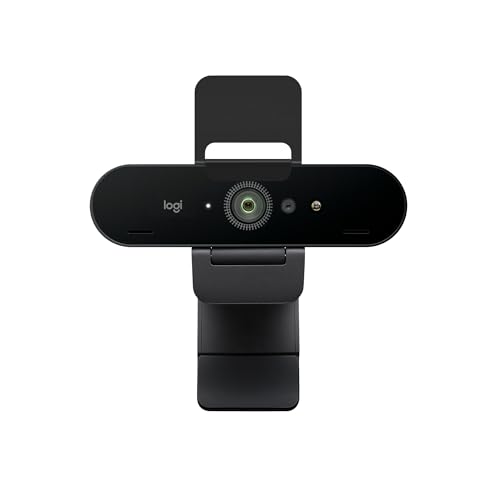
Logitech Brio 4K

Logitech Brio 4K

8.8/10

4K UHD webcam with HDR, RightLight 3, and dual mics. Reliable choice for professionals.

Pros

  • True 4K UHD at 30fps with HDR
  • RightLight 3 handles low light well
  • Dual omnidirectional mics with noise reduction
  • 90° FOV with digital zoom options
  • 5x zoom for detail shots
  • Windows Hello facial recognition

Cons

  • 4K limited to 30fps
  • No physical privacy shutter
  • Premium price for 1080p alternatives

The Brio 4K remains a top choice for anyone who needs reliable 4K video and solid low-light performance. It's not the newest model, but Logitech's software and build quality make it a safe bet.

Sale Price Live — Don't Miss Out
2
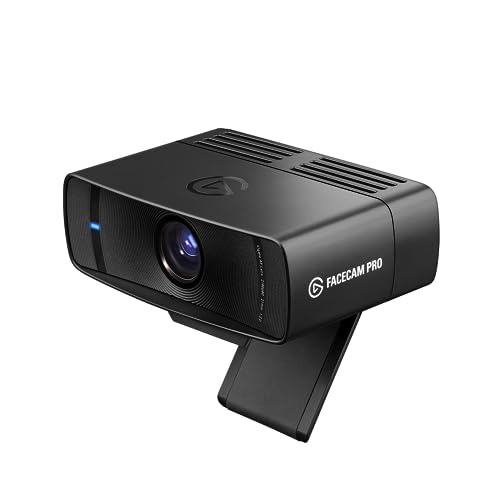
Elgato Facecam Pro

Elgato Facecam Pro

9.3/10

4K60 broadcast-grade webcam with fixed focus and pro software. Best for serious creators.

Pros

  • 4K at 60fps for smooth motion
  • Fixed focus—no autofocus hunting
  • Large sensor for excellent low light
  • Pro-grade Facecam software
  • Wide 82° FOV
  • USB 3.2 Gen 2

Cons

  • High price
  • Manual focus requires setup
  • No built-in microphone

The Facecam Pro is the best webcam for creators who want broadcast-quality video and full manual control. If you're willing to invest and use external audio, it's unmatched.

Sale Price Live — Don't Miss Out
3
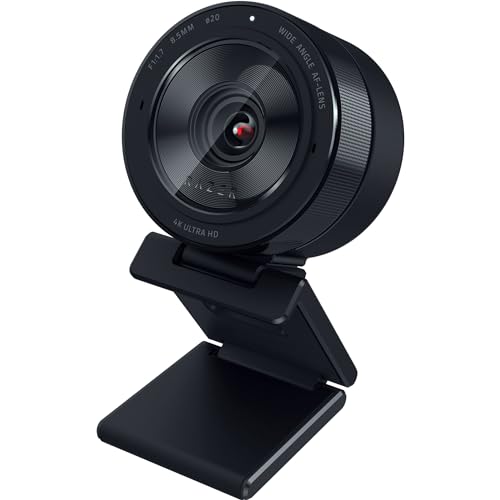
Razer Kiyo Pro Ultra

Razer Kiyo Pro Ultra

8.7/10

Large-sensor 4K webcam with built-in ring light. Outstanding low-light performance.

Pros

  • Large 1/1.2-inch sensor for great low light
  • Built-in adjustable ring light
  • 4K30 and 1080p60 with HDR
  • Shallow depth of field for professional look
  • Razer Synapse integration

Cons

  • Heavy and bulky
  • Ring light adds to size
  • No built-in microphone

The Kiyo Pro Ultra excels in low light and offers a cinematic look thanks to its large sensor. The built-in ring light is a bonus for dim rooms.

Limited Offer — Check Today's Price
4
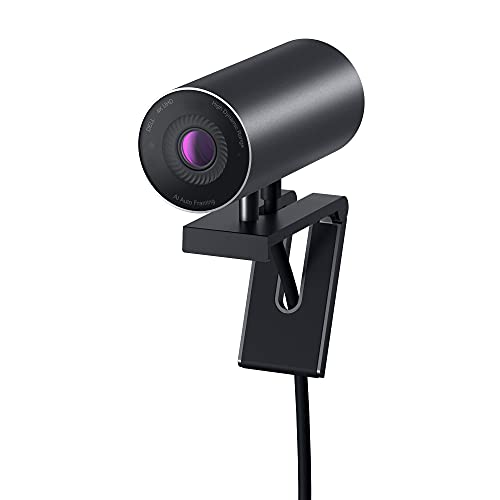
Dell UltraSharp WB7022

Dell UltraSharp WB7022

8.5/10

Business-focused 4K webcam with privacy shutter and intelligent framing.

Pros

  • 4K resolution with solid image quality
  • Built-in physical privacy shutter
  • Intelligent framing keeps you centered
  • Clean, professional look
  • Dell warranty and support

Cons

  • 65° FOV may feel narrow for some
  • No HDR
  • Software features require Dell app

A strong choice for business users who want 4K, a privacy shutter, and reliable performance. Dell's framing feature is a nice touch for hybrid workers.

20% Off — Limited Time, Check Now
5
Obsbot Tiny 2

Obsbot Tiny 2

8.9/10

AI-powered PTZ webcam with auto-tracking. Great for presenters and educators.

Pros

  • AI auto-tracking follows you smoothly
  • Gesture controls for hands-free operation
  • Compact, portable design
  • 4K30 with good image quality
  • USB-C connection

Cons

  • Tracking can be gimmicky in some setups
  • No built-in microphone
  • Battery for wireless features adds complexity

The Tiny 2 is perfect if you want a webcam that tracks you automatically. The AI framing works well for presentations and teaching.

Limited Offer — Check Today's Price
6
Insta360 Link 2

Insta360 Link 2

9/10

4K gimbal webcam with AI tracking and overhead mode. Versatile for creators.

Pros

  • 3-axis gimbal for smooth movement
  • AI tracking and whiteboard zoom
  • Overhead desk mode for demos
  • 4K30 with HDR
  • Compact and well-built

Cons

  • Overhead mode requires desk space
  • No built-in microphone
  • Software learning curve

The Link 2 is the most versatile webcam we've tested. Gimbal tracking, overhead mode, and whiteboard zoom make it ideal for hybrid work and content creation.

Price Drop Alert — View Deal Now
7
AnkerWork B600

AnkerWork B600

8.2/10

2K webcam with built-in ring light and privacy shutter. Good value for home office.

Pros

  • 2K resolution at competitive price
  • Built-in adjustable ring light
  • Physical privacy shutter
  • Dual mics with noise reduction
  • Clean, simple design

Cons

  • Not 4K
  • Ring light can wash out in some setups
  • Autofocus can hunt in low light

The B600 is a strong value pick with 2K, a ring light, and a privacy shutter. Great for home office users on a budget.

Price Drop Alert — View Deal Now
8
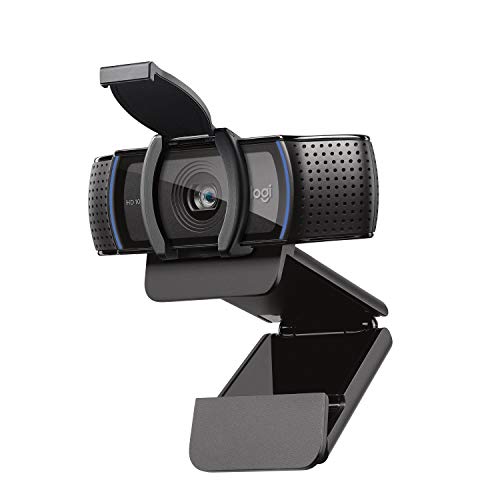
Logitech C920s HD Pro

Logitech C920s HD Pro

8/10

Reliable 1080p webcam with privacy shutter. Best budget pick for most users.

$69

Pros

  • Proven 1080p image quality
  • Physical privacy shutter
  • Dual mics with noise reduction
  • Widely compatible, plug-and-play
  • Excellent value

Cons

  • 1080p only, no 4K
  • 30fps max
  • Plastic build

The C920s remains the go-to budget webcam. If you don't need 4K, it's reliable, well-supported, and a steal at this price.

Sale Price Live — Don't Miss Out
9
Nexigo N960E

Nexigo N960E

7.8/10

Budget 1080p60 webcam with ring light. Best for students and casual users.

$59

Pros

  • 1080p at 60fps
  • Built-in ring light
  • Privacy cover included
  • Very affordable
  • Plug-and-play

Cons

  • Image quality lags behind pricier options
  • Autofocus can be slow
  • Plastic build feels cheap

The N960E is the best sub-$60 webcam we've tested. 60fps and a ring light at this price make it ideal for students and light users.

Special Deal Available — See Offer
10
AVerMedia PW515

AVerMedia PW515

8.3/10

4K streaming webcam with large sensor. Strong for streamers on a budget.

Pros

  • 4K30 with solid image quality
  • Large sensor for good low light
  • Built-in mic with noise reduction
  • RECentral software for streaming
  • Reasonable price for 4K

Cons

  • No HDR
  • Software can feel bloated
  • 78° FOV is standard, not wide

The PW515 is a strong 4K option for streamers who want good low-light performance and streaming software without paying Elgato prices.

Price Drop Alert — View Deal Now

Our Methodology

We test each webcam in controlled lighting conditions (300 lux, 150 lux, and 50 lux) to evaluate image quality across scenarios. We measure autofocus speed, test microphone quality in quiet and noisy environments, and evaluate software features. No manufacturer has editorial influence.

Frequently Asked Questions

What resolution should I get for a webcam?
1080p is sufficient for most video calls and casual streaming. 4K is worth it if you record content, need to crop or zoom, or want the sharpest image. 2K sits in between and can be a good value.
Do I need a webcam with a built-in microphone?
If you already use a headset or external mic, a webcam without a mic is fine and often cheaper. Built-in mics are convenient for quick calls and usually include noise reduction, but external mics sound better for streaming and recording.
How important is low-light performance?
Very important if you work or stream in a dim room. Webcams with larger sensors (e.g., Elgato Facecam Pro, Razer Kiyo Pro Ultra) or software like RightLight (Logitech) handle low light much better than basic models.

Ready to choose?

Dive into our detailed comparisons to find the perfect fit for your needs.

Related Comparisons